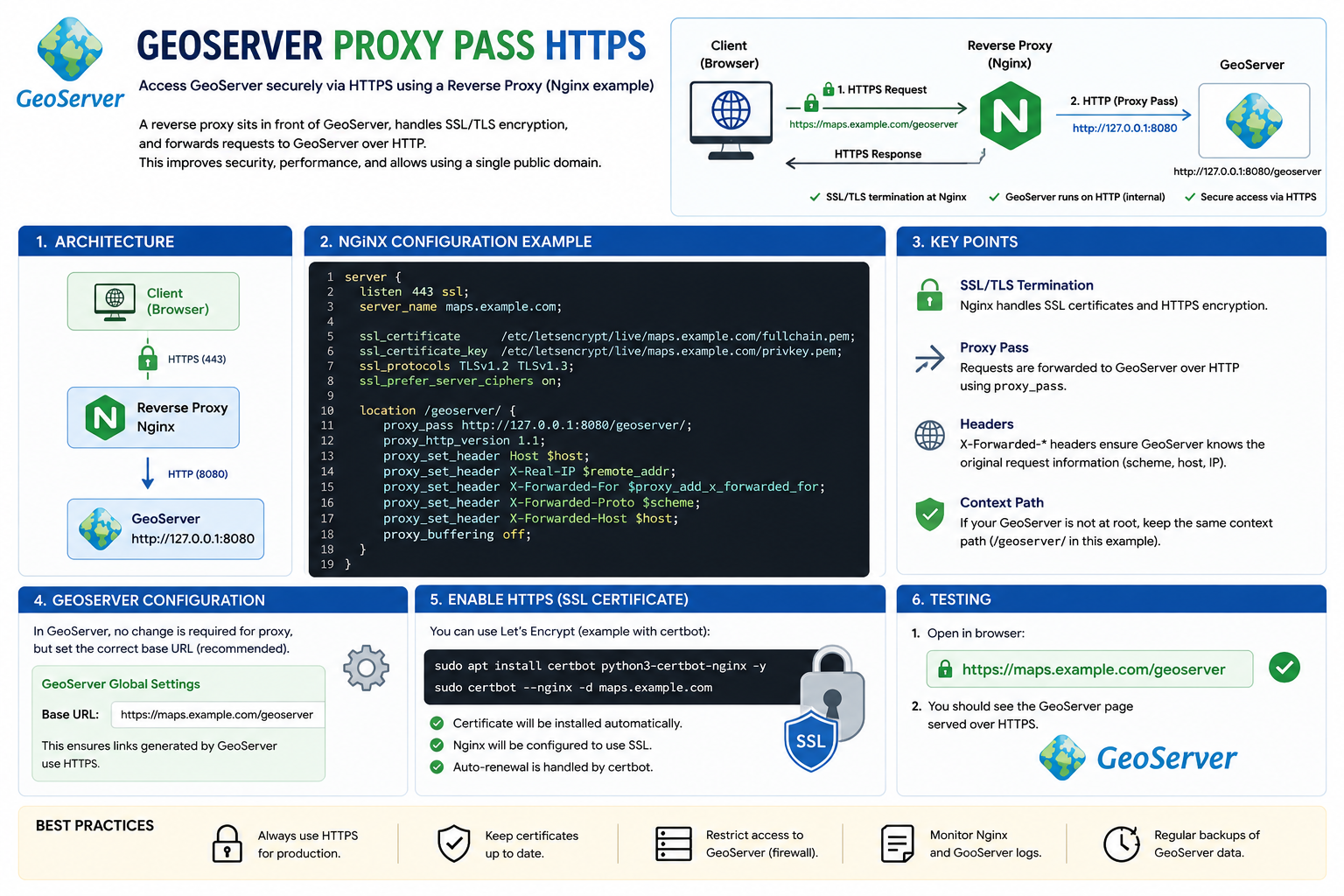
GeoServer Proxy Pass HTTPS
What is GeoServer Proxy Pass HTTPS?
GeoServer Proxy Pass HTTPS is a configuration method that allows users to access GeoServer securely through HTTPS using a reverse proxy such as Nginx or Apache HTTP Server.
In this setup:
- The reverse proxy handles SSL/TLS encryption
- Client requests use HTTPS
- Requests are forwarded internally to GeoServer using HTTP
- GeoServer stays protected behind the proxy server
This configuration improves:
- Security
- Performance
- SSL management
- Public access management
How the Architecture Works
1. Client Access
A user opens GeoServer in a browser using HTTPS:
https://maps.example.com/geoserverThe connection is encrypted using SSL/TLS.
2. Reverse Proxy Handles HTTPS
The reverse proxy server:
- Receives HTTPS requests
- Manages SSL certificates
- Decrypts traffic securely
- Forwards requests internally to GeoServer
Example proxy software:
- Nginx
- Apache
- HAProxy
3. GeoServer Runs Internally
GeoServer usually runs locally on port 8080.
Example:
http://127.0.0.1:8080/geoserverThe public user never accesses this internal address directly.