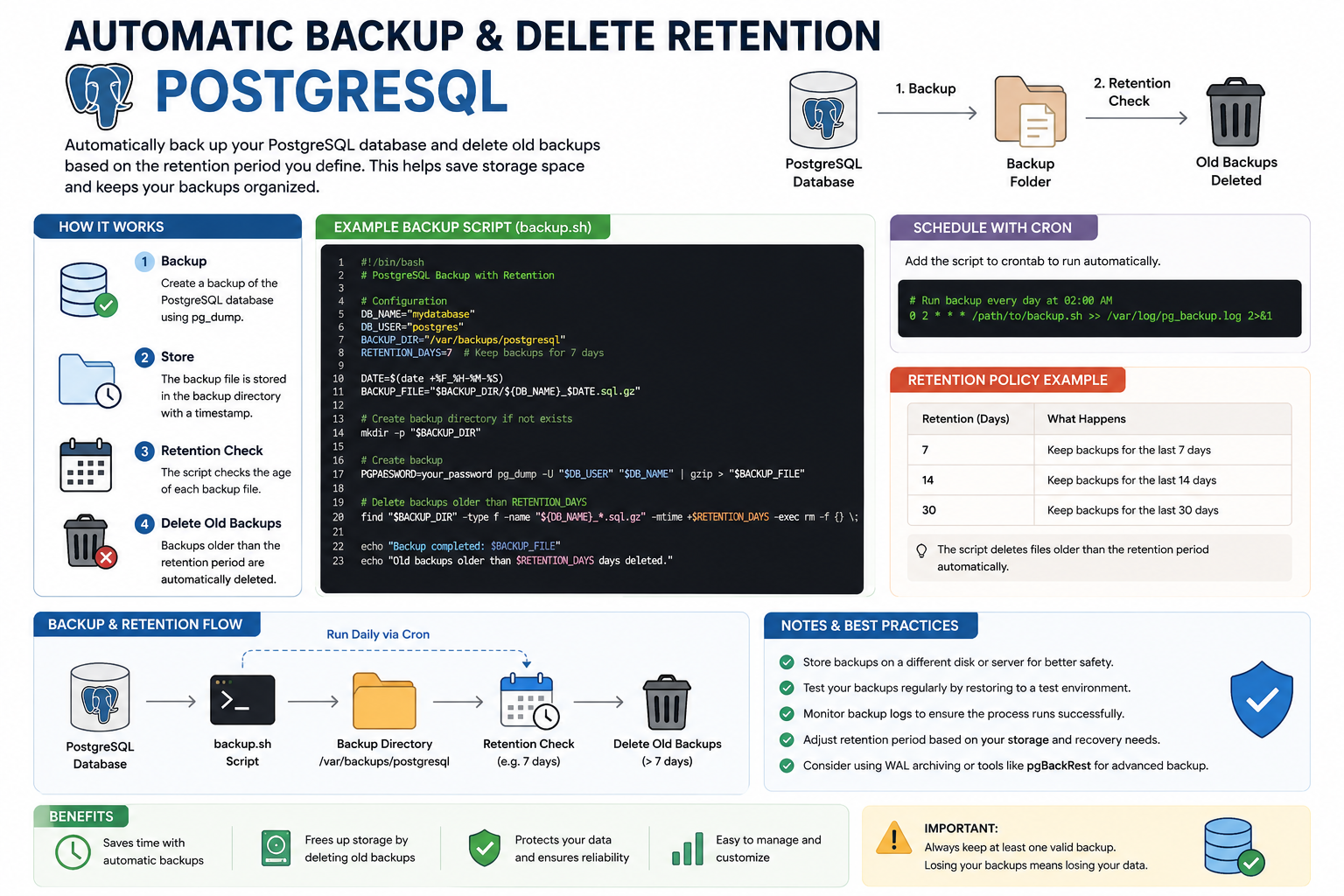
Automatic Backup & Delete Retention PostgreSQL
What is Automatic Backup & Delete Retention?
Automatic Backup & Delete Retention in PostgreSQL is a process used to:
- Automatically create database backups on a schedule
- Store backup files safely
- Delete old backups based on a retention policy
This system helps administrators manage storage efficiently while ensuring database recovery is always available when needed.
How It Works
1. Create Backup
A backup script uses the pg_dump command to export the PostgreSQL database into a backup file.
Example:
pg_dump -U postgres mydatabase > backup.sql2. Save Backup Files
The backup file is stored in a directory, usually with a timestamp in the filename.
Example:
backup_2026-05-19.sql.gzThis makes it easier to organize and restore backups later.
3. Configure Retention Policy
A retention policy determines how long backup files are kept.
Examples:
- 7 days retention
- 14 days retention
- 30 days retention
Old backup files older than the retention period will be deleted automatically.
4. Delete Old Backups
Linux commands such as find are commonly used to remove expired backups.
Example:
find /backup/path -type f -mtime +7 -deleteThis command deletes files older than 7 days.
Example Backup Automation Script
#!/bin/bash

DB_NAME="mydatabase"
DB_USER="postgres"
BACKUP_DIR="/var/backups/postgresql"
RETENTION_DAYS=7

DATE=$(date +%Y-%m-%d_%H-%M-%S)

mkdir -p $BACKUP_DIR

pg_dump -U $DB_USER $DB_NAME | gzip > $BACKUP_DIR/$DB_NAME-$DATE.sql.gz

find $BACKUP_DIR -type f -mtime +$RETENTION_DAYS -delete
Automate Using Cron Job
A cron job allows the backup script to run automatically every day.
Example:
0 2 * * * /path/to/backup.shThis schedule runs the backup every day at 2:00 AM.
Benefits
- Automatic database protection
- Reduces risk of data loss
- Saves storage space
- Keeps backup folders organized
- Reduces manual maintenance work
Best Practices
- Store backups on a separate server or disk
- Test backup restoration regularly
- Monitor backup logs
- Encrypt sensitive backups
- Keep at least one recent valid backup