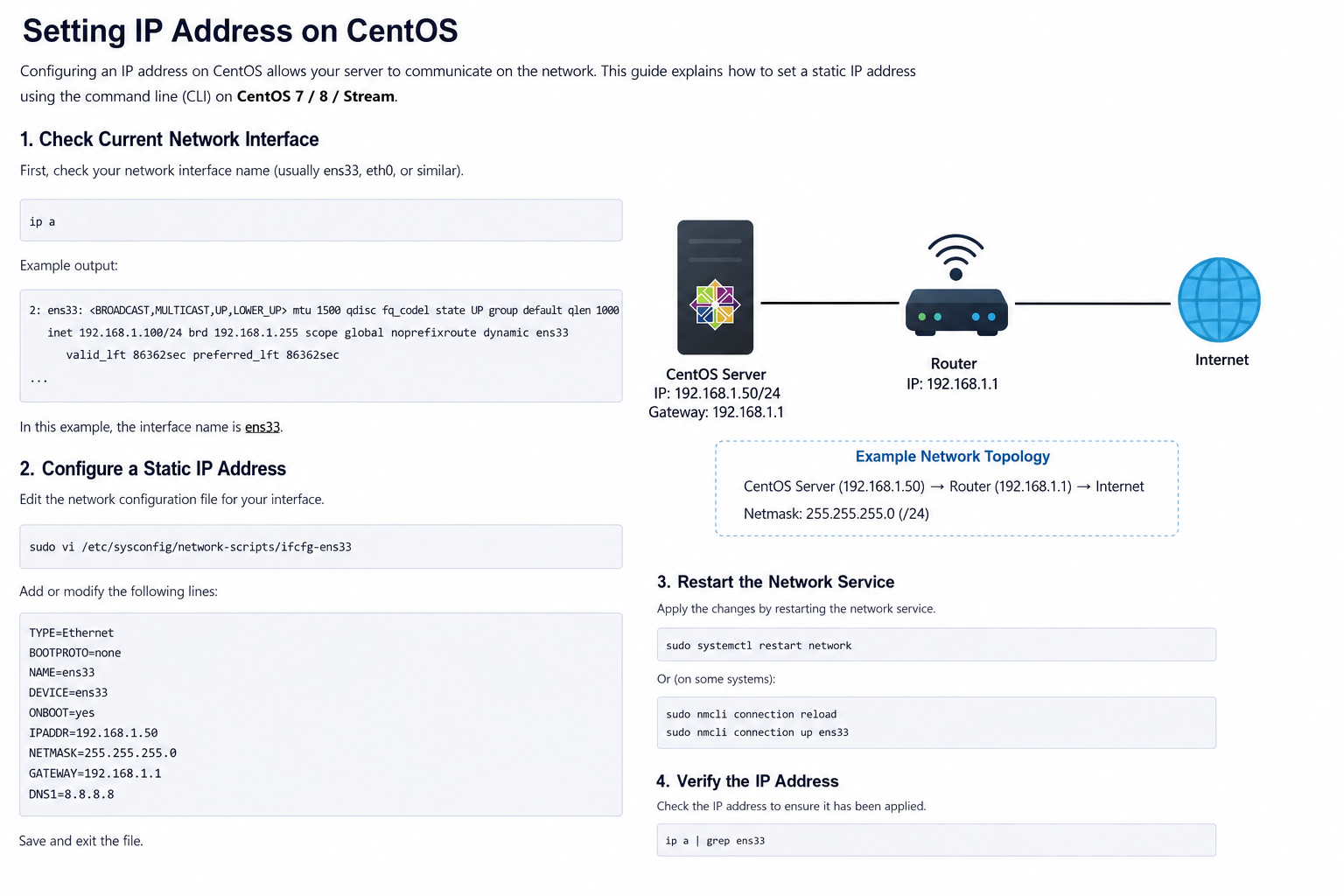
Setting IP Address on CentOS
Introduction
Configuring an IP address on a CentOS server is one of the basic tasks in Linux server administration. An IP address allows the server to communicate with other devices on a network and access the internet. CentOS supports both dynamic IP addresses using DHCP and static IP addresses configured manually.
This guide explains how to set a static IP address on CentOS using the command line.
Why Use a Static IP Address?
A static IP address is recommended for servers because it provides a permanent network address. This is useful for:
- Web servers
- Database servers
- File sharing systems
- Remote SSH access
- Hosting services
Unlike DHCP, a static IP address does not change automatically.
Checking Network Interfaces
Before configuring the IP address, check the available network interfaces.
Use the following command:
ip addr
Example output:
2: ens33: <BROADCAST,MULTICAST,UP,LOWER_UP>
In this example, ens33 is the network interface name.
Configuring a Static IP Address
Open the network configuration file:
sudo nano /etc/sysconfig/network-scripts/ifcfg-ens33
Example configuration:
TYPE=Ethernet
BOOTPROTO=none
NAME=ens33
DEVICE=ens33
ONBOOT=yes
IPADDR=192.168.1.100
PREFIX=24
GATEWAY=192.168.1.1
DNS1=8.8.8.8
DNS2=8.8.4.4
Explanation:
BOOTPROTO=nonedisables DHCPIPADDRsets the static IP addressPREFIX=24defines the subnet maskGATEWAYsets the default gatewayDNS1andDNS2configure DNS servers
Restarting the Network Service
After saving the configuration, restart the network service.
sudo systemctl restart NetworkManager
Or:
sudo systemctl restart network
Verifying the Configuration
Check whether the new IP address is active.
ip addr
You can also test internet connectivity:
ping google.com
If the server replies successfully, the configuration is working correctly.
Using DHCP Instead of Static IP
If you want the server to receive an IP address automatically from the router, use DHCP.
Example configuration:
BOOTPROTO=dhcp
ONBOOT=yes
This method is commonly used for personal computers or temporary environments.
Common Problems
Some common issues when configuring IP addresses on CentOS include:
- Incorrect network interface name
- Wrong gateway configuration
- DNS server errors
- Network service not restarted
- Firewall restrictions
Always double-check the configuration file after editing.
Conclusion
Setting an IP address on CentOS is an important step in server configuration. Administrators can choose between static IP and DHCP depending on their needs. Static IP addresses are recommended for production servers because they provide stable and reliable network connectivity.
With proper configuration, CentOS servers can communicate efficiently across local networks and the internet.