Auto Renewal with Certbot (Let’s Encrypt)
Certbot is a free and open-source tool used to automatically manage SSL/TLS certificates from Let's Encrypt.
One of its most useful features is automatic certificate renewal, which helps keep websites secure without manual intervention.
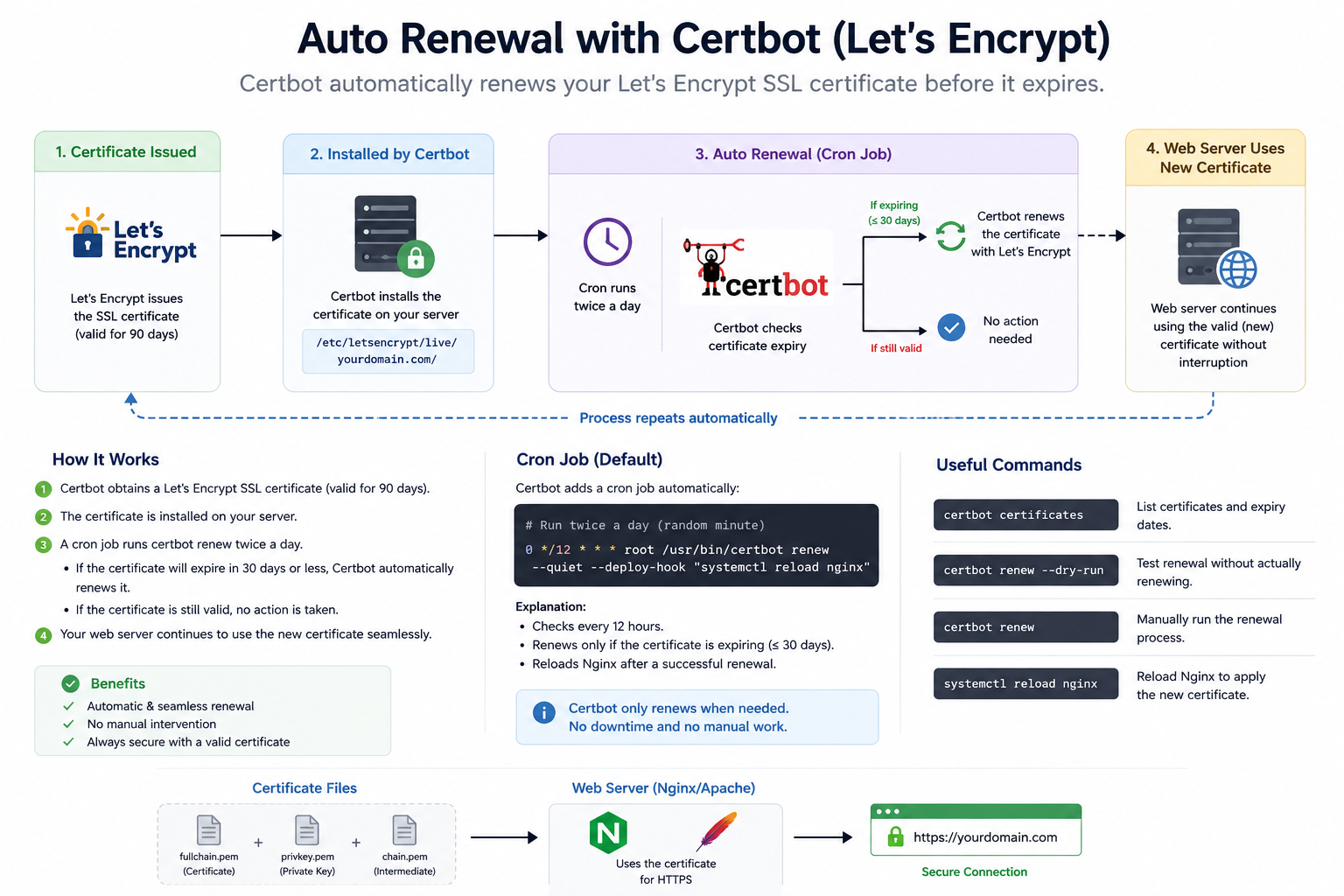
How Auto Renewal Works
- Certificate Issued
Let’s Encrypt provides an SSL certificate that is valid for 90 days. - Certificate Installed
Certbot installs the certificate on your web server such as:- Nginx
- Apache HTTP Server
- Automatic Renewal Process
Certbot creates a scheduled task (cron job or systemd timer) that checks certificate expiration automatically, usually twice a day. - Renewal Trigger
If the certificate will expire within 30 days, Certbot automatically renews it. - Web Server Reload
After renewal, the web server reloads the new certificate without downtime.
Benefits of Auto Renewal
- Prevents SSL certificate expiration
- Keeps HTTPS connections secure
- Reduces manual server maintenance
- Avoids website security warnings
- Works automatically in the background
Common Certbot Commands
# Check installed certificates
certbot certificates

# Test auto renewal
certbot renew --dry-run

# Manually renew certificates
certbot renew

# Reload Nginx after renewal
systemctl reload nginx
Example Cron Job
0 */12 * * * root certbot renew --quietThis command checks every 12 hours and renews certificates only when necessary.