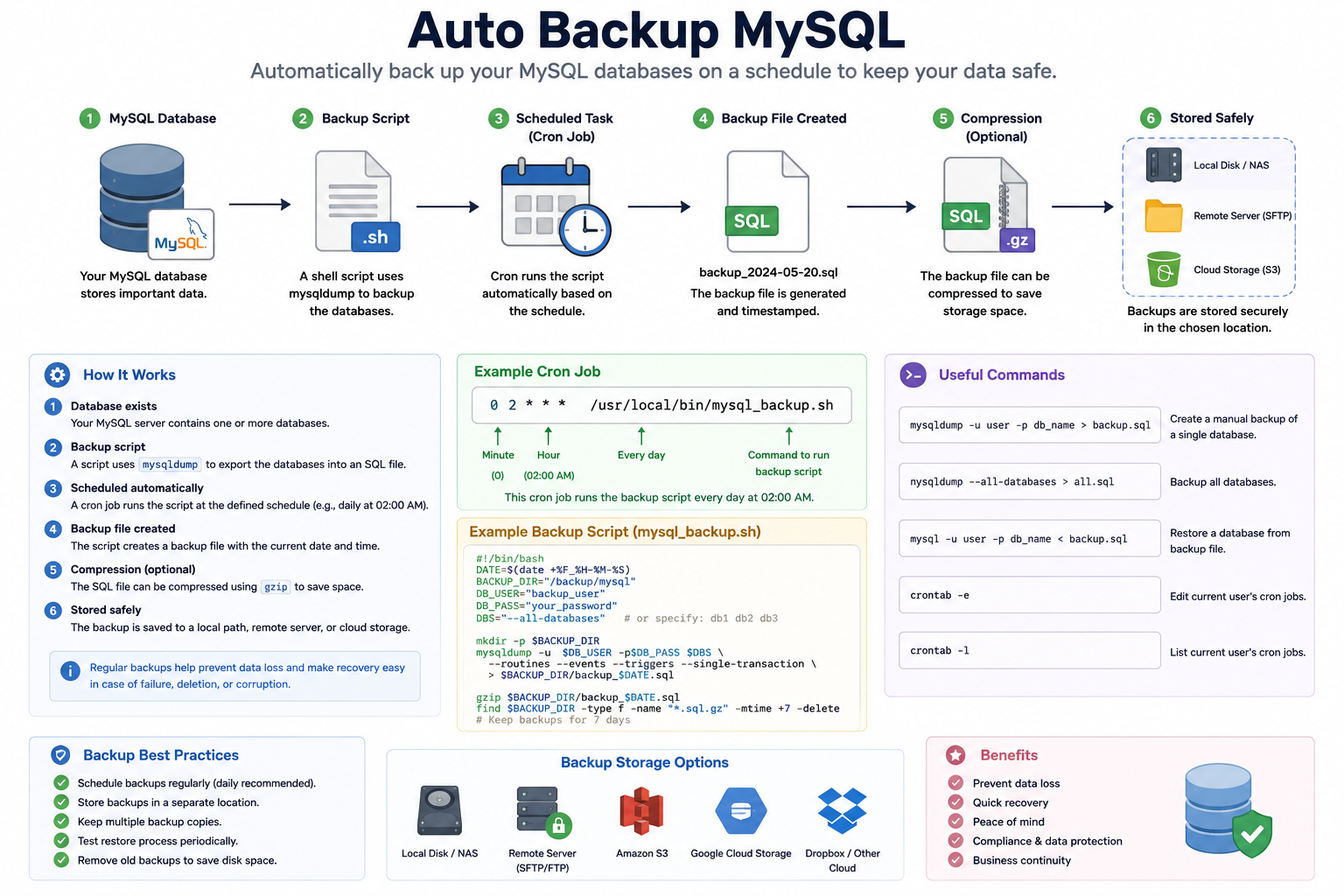
Auto Backup MySQL
Auto Backup MySQL is a process that automatically creates backup copies of a MySQL database at scheduled times.
This helps protect important data from accidental deletion, hardware failure, corruption, or cyber attacks.
How Auto Backup Works
- MySQL Database
The database stores important application or website data such as users, transactions, and system information. - Backup Script
A shell script uses themysqldumpcommand to export the database into an SQL backup file. - Scheduled Task (Cron Job)
A cron job automatically runs the backup script at a specified time, for example every day at 2:00 AM. - Backup File Created
The system generates a backup file with a timestamp, such as:backup_2026-05-25.sql - Compression (Optional)
The backup file can be compressed into.gzformat to reduce storage usage. - Stored Safely
Backup files are stored securely on:- Local storage
- Remote servers
- Cloud storage services
Benefits of Auto Backup
- Prevents permanent data loss
- Makes disaster recovery easier
- Protects against server failure
- Saves time with automation
- Improves system reliability and security
Common MySQL Backup Commands
# Backup a single database
mysqldump -u root -p database_name > backup.sql

# Backup all databases
mysqldump -u root -p --all-databases > all_backup.sql

# Restore a database
mysql -u root -p database_name < backup.sql
Example Cron Job
0 2 * * * /usr/local/bin/mysql_backup.shThis cron job runs the backup script every day at 2:00 AM automatically.
Best Practices
- Schedule backups regularly
- Store backups in multiple locations
- Test restoration periodically
- Encrypt sensitive backup files
- Remove old backups to save storage space