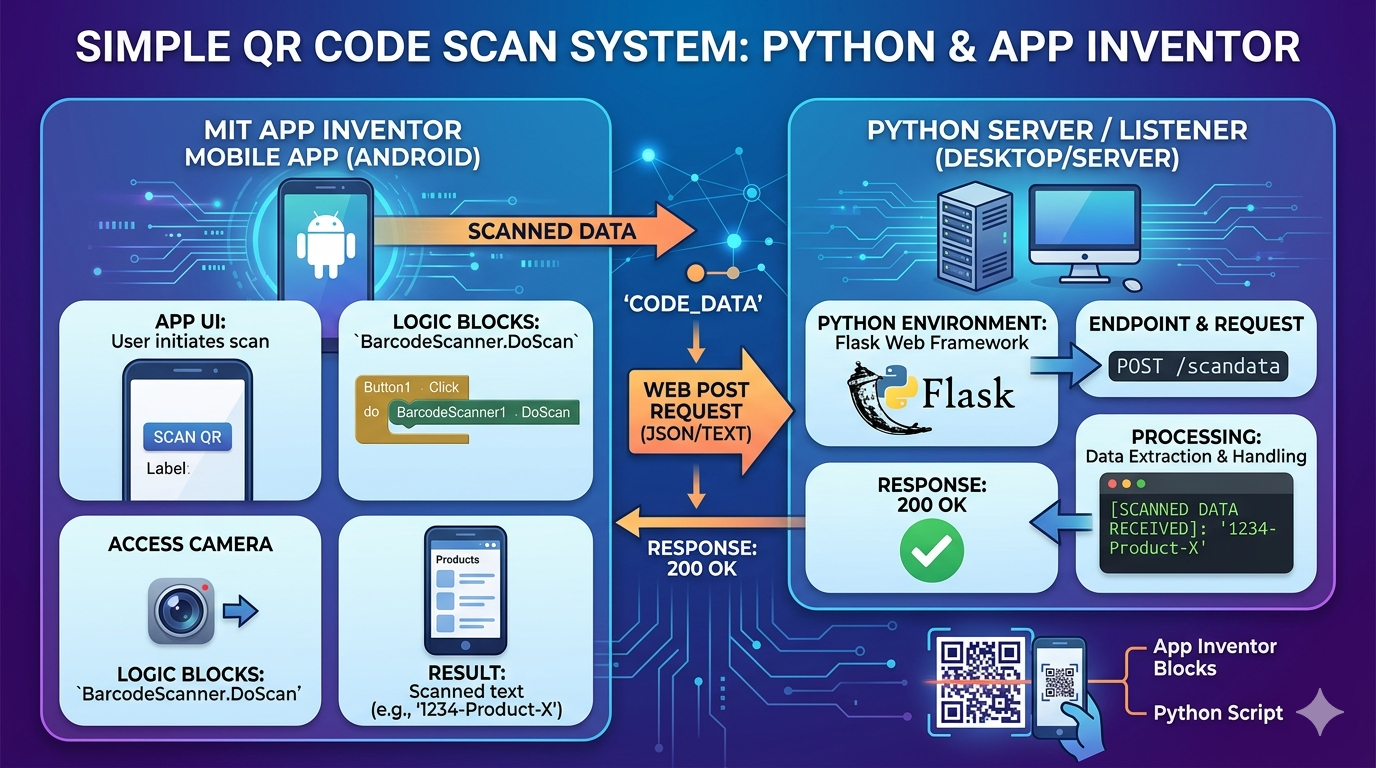
Hello! I can certainly help you with that. Below, you will find a clear English explanation of how to create a simple QR code scanning system using Python (for a server or desktop application) and MIT App Inventor (for an Android app). Following the text, I have generated a detailed visual illustration to guide you.
Explanation: Simple QR Code Scanning System with Python & MIT App Inventor
This system uses a simple distributed architecture.
- The Mobile App (MIT App Inventor): We create an Android application that serves as the QR scanner.
- The Data Endpoint: When the mobile app scans a QR code containing text or data, it sends that data to a central location.
- The Server/Desktop Component (Python): We run a small Python script that acts as a simple web server (using
Flask) or listens for network messages. It receives the data from the mobile app and processes or stores it.
This approach allows you to build a functional system without complex cloud databases or native coding.
Component 1: The MIT App Inventor App (Scanner)
App Inventor is a blocks-based visual programming tool. Your mobile app needs four main ingredients:
- BarcodeScanner Component: The core non-visible component that accesses the camera.
- Web Component: Used to send the scanned data over HTTP to the Python server.
- Button and Label Components: To trigger the scan and display feedback.
The Workflow (Logic Blocks): A user clicks a 'SCAN QR' button. App Inventor triggers the BarcodeScanner1.DoScan block. When a code is successfully read, the BarcodeScanner1.AfterScan event is fired. Inside this event, we set the Web1.Url to the address of your Python server (e.g., http://YOUR_SERVER_IP:5000/scandata). We then construct an HTTP POST request, attaching the result (the scanned text) as the data. A simple message confirms the data was sent.
Component 2: The Python Component (Server/Listener)
Python provides an easy way to build a lightweight HTTP listener. We will use the Flask library, which is perfect for simple web services.
Steps:
- Install Flask: Run
pip install Flask. - The Python Script: Create a simple script (e.g.,
qr_listener.py).
Python Code Logic: We import Flask and create a function (handle_scan) that listens for requests at a specific endpoint, like /scandata. We configure it to handle only POST requests. When the mobile app sends data, the script extracts the content from the request, prints it to the console (or saves it to a file/database), and returns a "200 OK" response to the app.