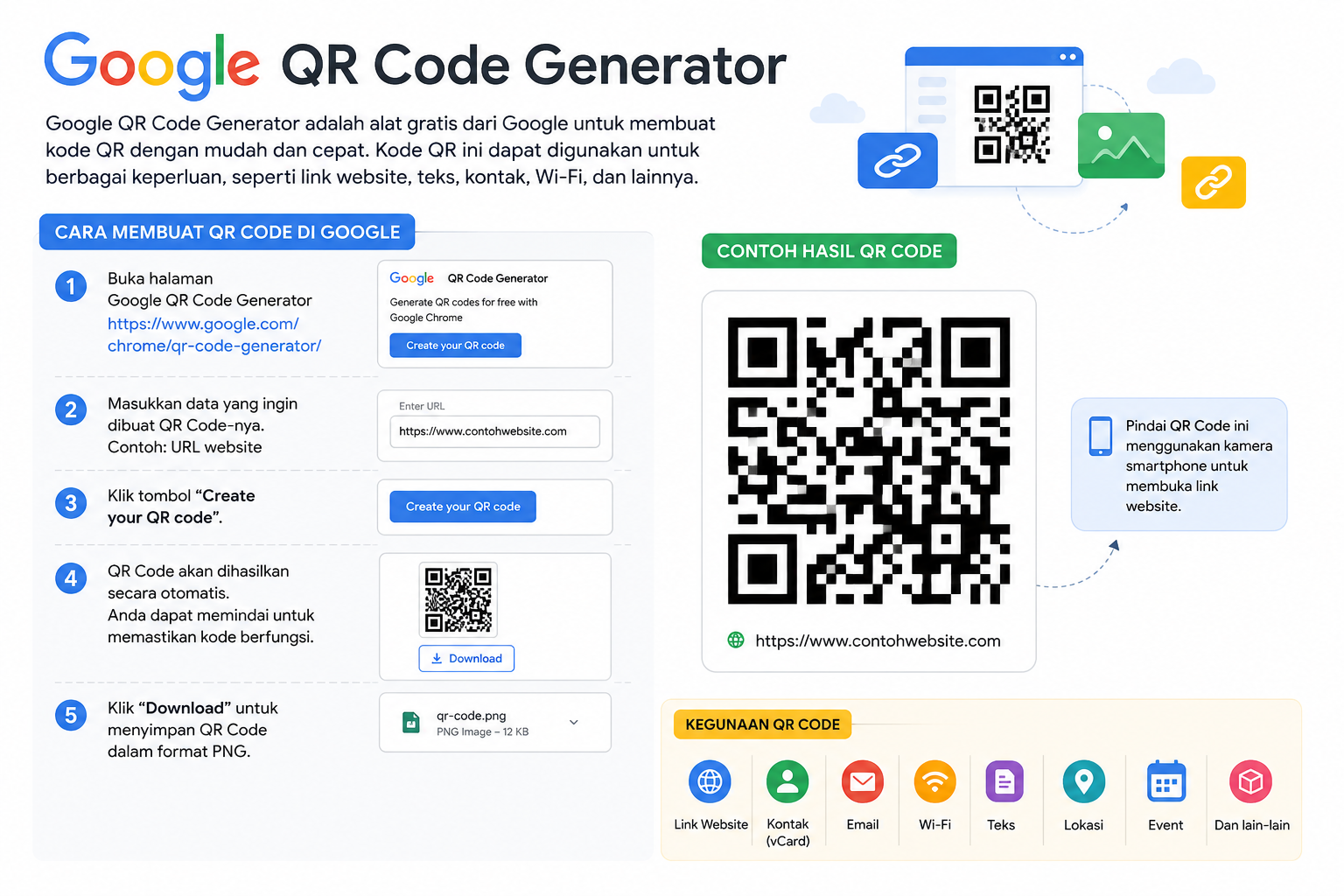
What is Google QR Code Generator?
Google QR Code Generator is a free tool provided by Google, mainly through Google and Google Chrome, that allows users to create QR codes quickly and easily.
A QR code (Quick Response Code) is a type of barcode that can store information such as:
- Website links
- Text messages
- Contact information
- Wi-Fi passwords
- Locations
- Event details
Users can scan the QR code using a smartphone camera to instantly access the stored information.
How to Create a QR Code Using Google
- Open Google Chrome.
- Visit the website or page you want to share.
- Click the Share icon in the browser.
- Select Create QR Code.
- The QR code will be generated automatically.
- Download the QR code image and share it with others.
Benefits of Using QR Codes
- Fast and easy to share links
- No need to type long URLs
- Useful for business, education, and events
- Can be printed on posters, packaging, or cards
- Accessible using most smartphone cameras
Common Uses of QR Codes
- Website promotion
- Digital menus
- Wi-Fi sharing
- Online payments
- Product information
- Attendance systems
- Event registration