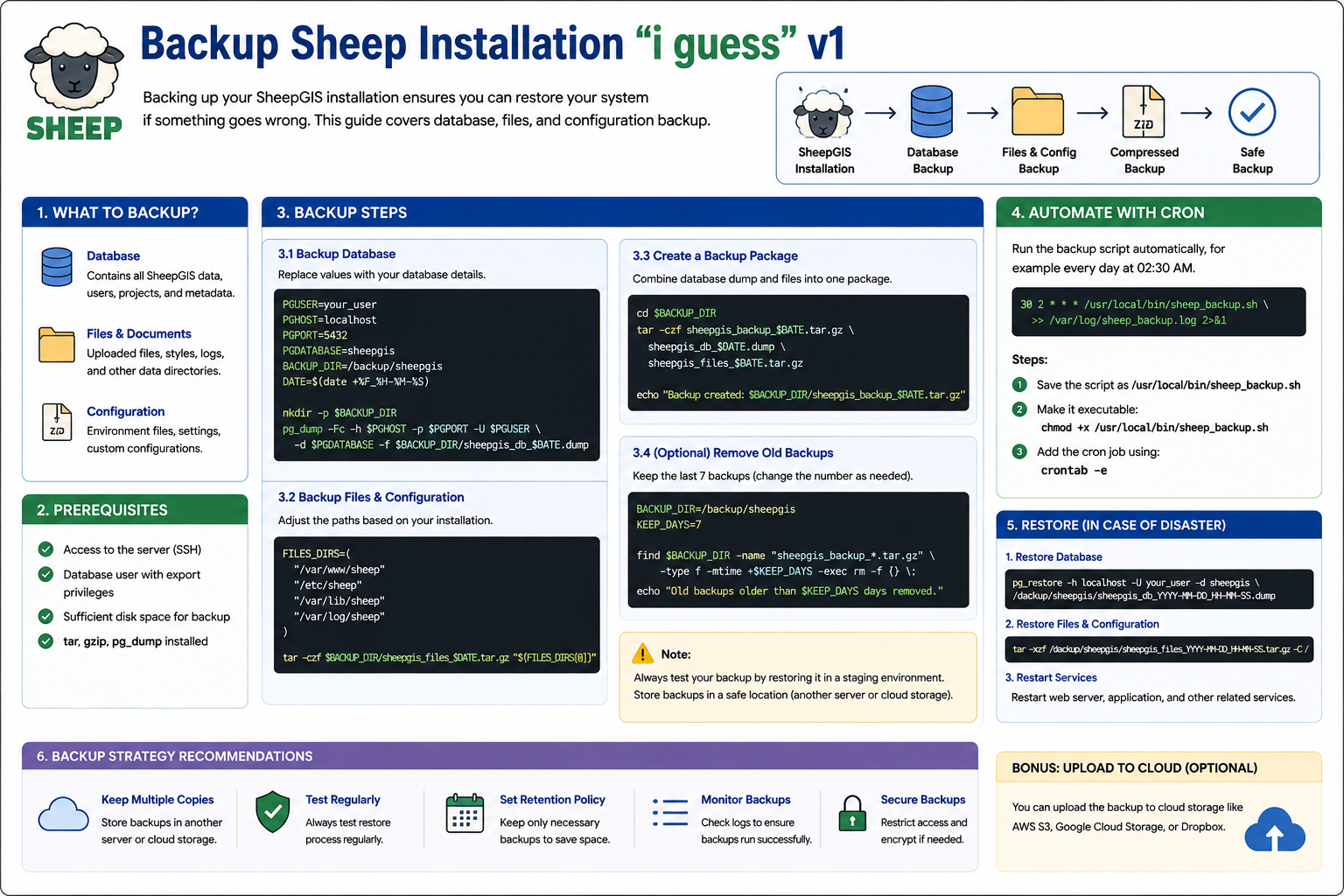
Backup Sheep Installation “i guess” v1
What is Backup Sheep Installation?
Backup Sheep Installation is a process used to create a safe copy of the SheepGIS system, including:
- Database
- Application files
- Configuration files
- Logs and uploaded data
The purpose of the backup is to protect the system from:
- Server failure
- Data corruption
- Accidental deletion
- Software errors
- System migration issues
A proper backup strategy allows administrators to restore the system quickly if something goes wrong.
Components That Should Be Backed Up
1. Database
The database contains:
- User data
- Projects
- Metadata
- Application settings
Example tools:
pg_dumpfor PostgreSQLmysqldumpfor MySQL
2. Files & Documents
Important directories usually include:
- Uploaded files
- Media files
- GIS data
- Logs
- Static assets
Example:
/var/www/sheep3. Configuration Files
Configuration files store:
- Environment variables
- Database connections
- API settings
- Web server configuration
Example:
.env
nginx.conf
Backup Database Example
Example backup command using PostgreSQL:
pg_dump -U postgres sheepgis > sheepgis_backup.sqlCompressed backup example:
pg_dump -U postgres sheepgis | gzip > sheepgis_backup.sql.gzBackup Files Example
Create a compressed archive:
tar -czf sheepgis_files.tar.gz /var/www/sheepThis command compresses the application files into a backup archive.
Automate Backup with Cron
You can automate backups using Linux cron jobs.
Example:
30 2 * * * /usr/local/bin/sheep_backup.shThis runs the backup script every day at 2:30 AM.
Delete Old Backups (Retention Policy)
Automatically remove old backups to save storage space.
Example:
find /backup/sheepgis -type f -mtime +7 -deleteThis deletes backups older than 7 days.
Restore Backup
Restore Database
psql -U postgres sheepgis < sheepgis_backup.sqlRestore Files
tar -xzf sheepgis_files.tar.gz -C /Recommended Backup Strategy
- Keep multiple backup copies
- Store backups on another server
- Use cloud storage if possible
- Test restoration regularly
- Encrypt sensitive backups
- Monitor backup logs
Benefits of Backup Automation
- Reduces manual work
- Improves disaster recovery
- Prevents data loss
- Saves time
- Keeps backups organized